
Create a community post
Open the community feed, write a useful post, add only relevant attachments or links, then publish when ready.
Watch it step by step
Click the highlighted area to move through the task, or watch the video when one is available. Newer flows may use a labeled walkthrough instead of a live photo.
Step 1 of 12
1. Write a post
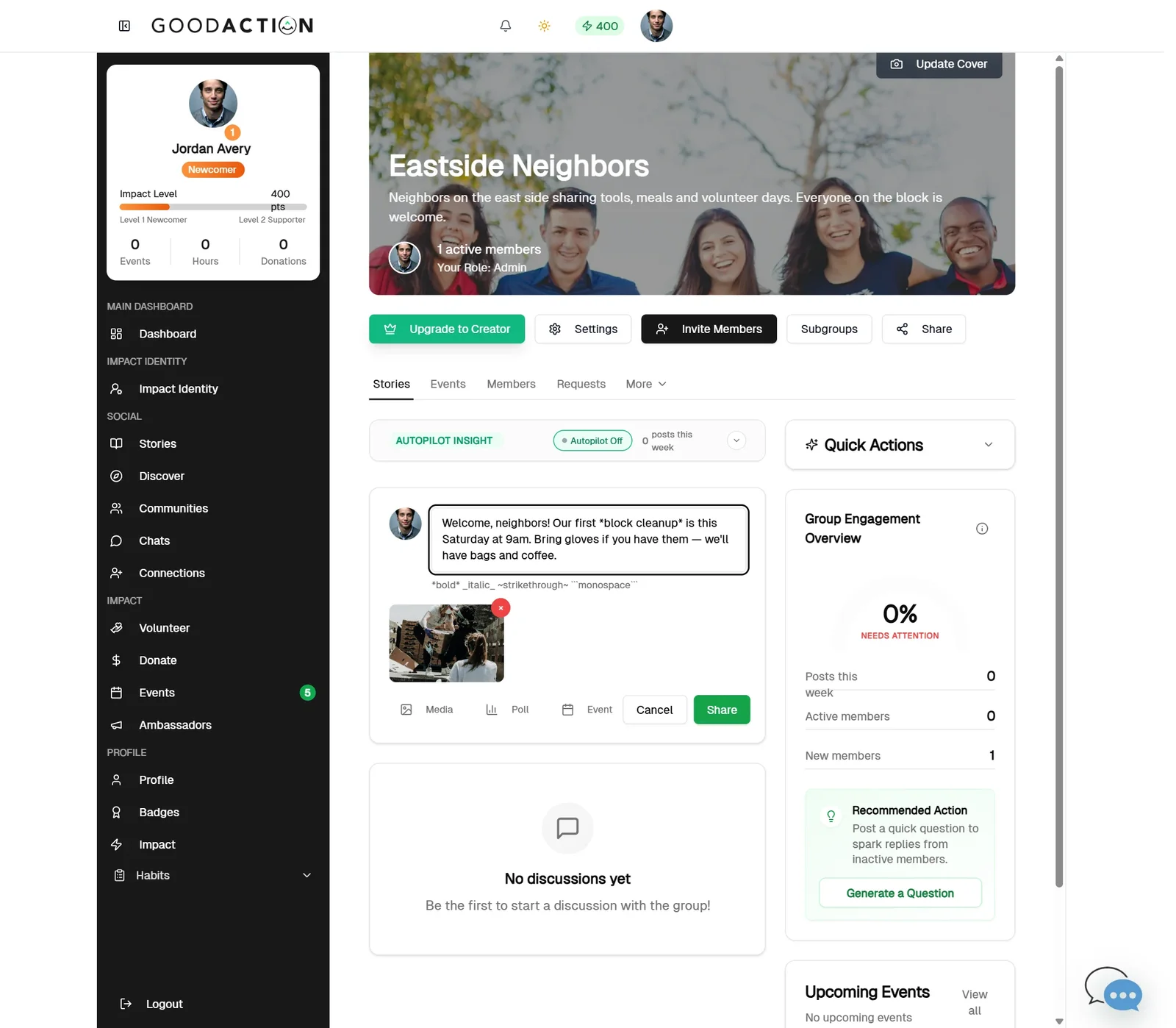
Click the composer, write your post, add media, then click Share.
Done when: Your post, poll, event and resource are live for members.
Create a community post
Overview
Open the community feed, write a useful post, add only relevant attachments or links, then publish when ready.
Where to find it
Open Social profile > Communities, select the community, and use the relevant Feed, Members, Events, Resources, Courses, Blog, Premium or Settings area. To create a community, choose Create Community from the Communities area.
How it works
- Open the community Feed and select the post composer.
- Write the post for the community audience and add only media or links you are permitted to share.
- Review mentions, links and attachments.
- Publish once. Use the post menu later to edit or remove your own content when allowed.
Important details
Community visibility, membership permission, owner permission and Creator Access are separate checks. A person may be able to view a resource without being allowed to create one. Paid membership does not by itself grant creator tools.
If something does not look right
- Confirm the signed-in profile and current workspace shown in the page header.
- Capture the page address, time and exact visible error.
- Do not include passwords, API keys, bank details or full card data.
- Ask GoodAction Support when the expected control remains unavailable or the saved result differs from this article.