
All step-by-step guides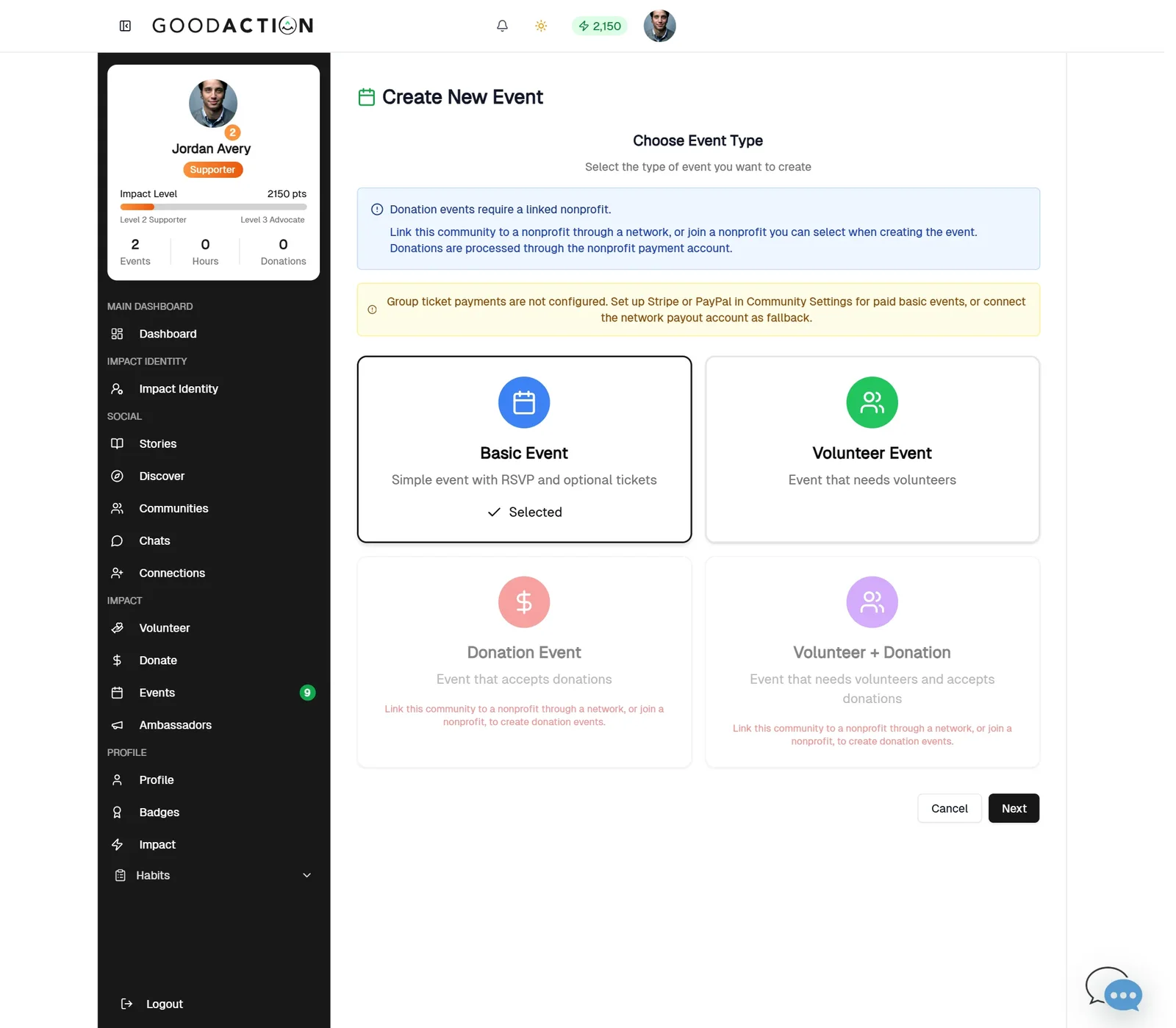
Community leader · Step-by-step guide
Create a repeating event
Community leader 1.5 min 7 steps
Before you start: A community you manage (#17), the first date, the time and how often it repeats · Do this first: Create a community and invite members
Step 1 of 7
1. Create an event
goodaction.com/dashboards/social/groups/eastside-neighbors/events/create
In your community, click Create an event (or Events → Create Event). Choose Basic Event, then Next.
Click the highlighted area, or use ← →
Repeat options
- Weekly, Every two weeks, or Monthly on the same date.
- For weekly series, pick one or more days (the start date's day is selected for you).
- Series ends: the last date the event can happen.
Good to know
- Click the address in the suggestions list to choose it.
- Members RSVP on the event page.
Was this helpful?