
EventsHow-to guide
Create a repeating event
Create one community event that repeats weekly, every two weeks, or monthly, then review every date in the series.
Repeating events Verified Oct 6, 2026
Watch it step by step
Click the highlighted area to move through the task, or watch the video when one is available. Newer flows may use a labeled walkthrough instead of a live photo.
Community leader 1.5 min 7 steps
Before you start: A community you manage (#17), the first date, the time and how often it repeats · Do this first: Create a community and invite members
Step 1 of 7
1. Create an event
goodaction.com/dashboards/social/groups/eastside-neighbors/events/create
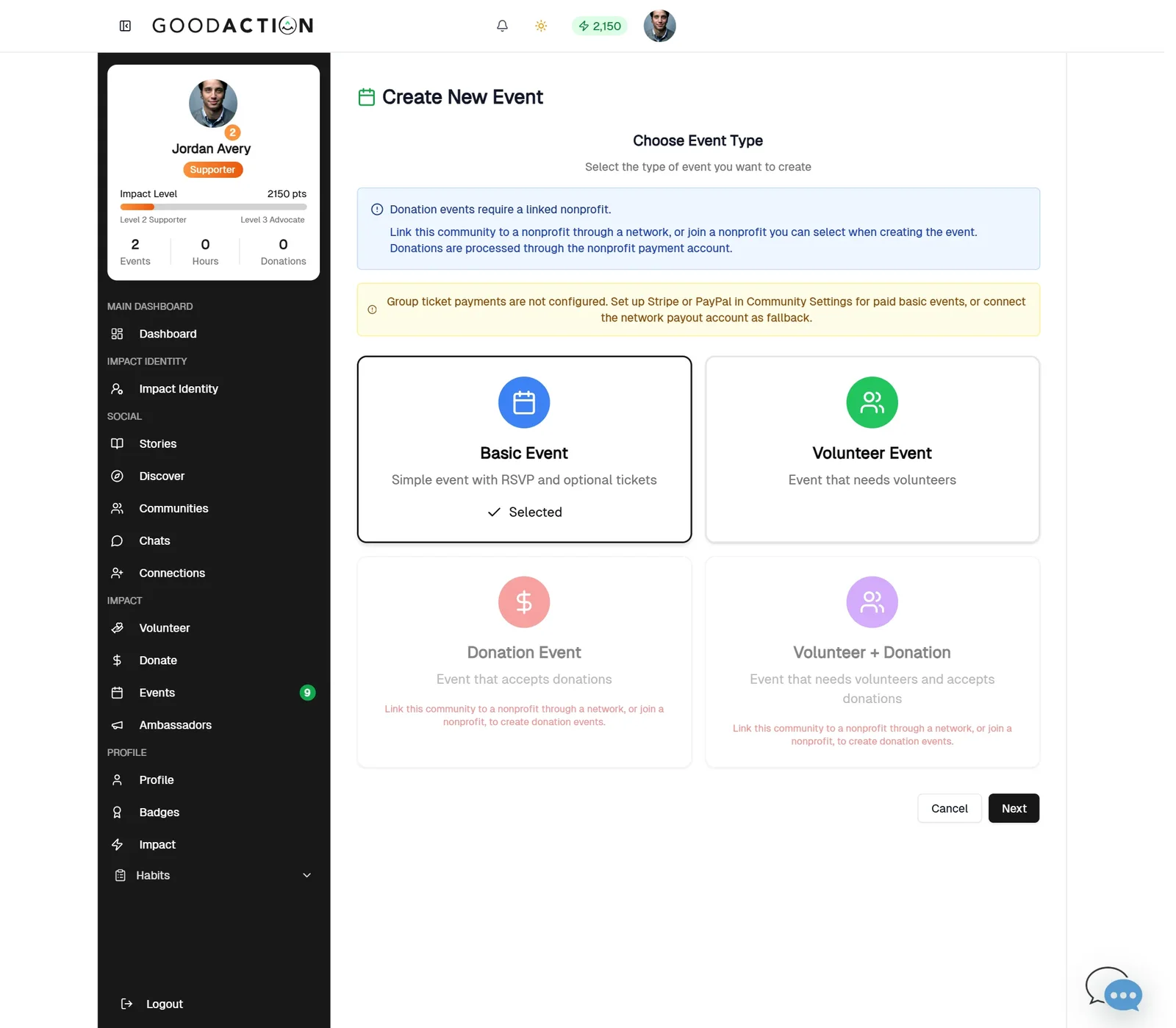
In your community, click Create an event (or Events → Create Event). Choose Basic Event, then Next.
Click the highlighted area, or use ← →
Done when: One event page shows “Repeats weekly”, and View all dates lists every date in the series.
Create a repeating event
Overview
Create one community event that repeats weekly, every two weeks, or monthly, then review every date in the series.
Where to find it
In a community you manage, open Events → Create Event → Basic Event, then switch on Repeat this event.
How it works
- Open the community Events tab and click Create Event.
- Choose Basic Event, add the title, first date and times.
- Switch on Repeat this event and pick weekly, every two weeks, or monthly.
- Set the series end date and days of the week.
- Add location and a photo, then Create Event.
- Open View all dates to confirm the series.
If something does not look right
- Confirm the signed-in profile and current workspace.
- Capture the page address and the exact message you see.
- Ask GoodAction Support if the control is still missing.