
All step-by-step guides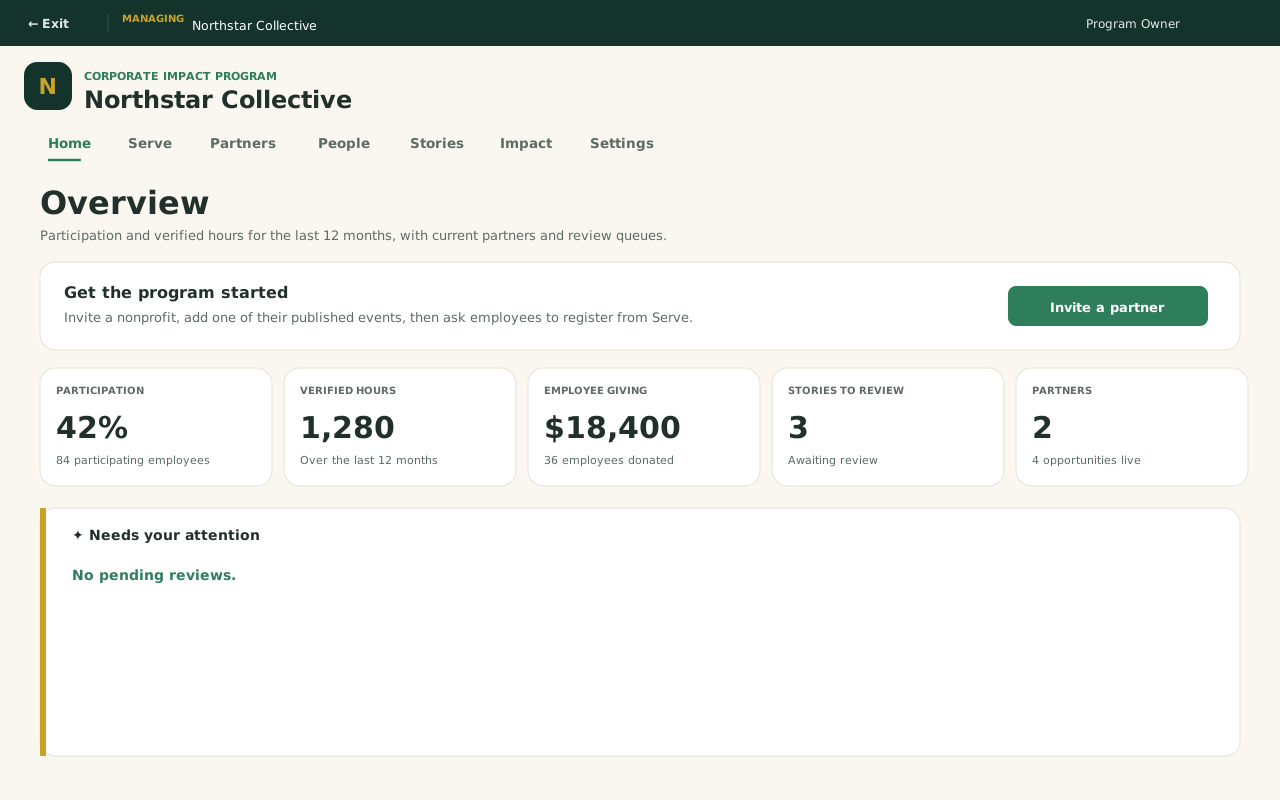
Enterprise admin · Step-by-step guide
Invite employees and sponsor a program
Enterprise admin 3 min 4 steps
Before you start: A company workspace. Employees use Company Serve, not the Nonprofit dashboard.
Step 1 of 4
1. Open Enterprise Overview
goodaction.com/dashboards/enterpriseIllustrated
Switch Profile to the company. The CSR workspace opens on Overview: participation, hours, partners, and anything that needs review.
This step is a labeled walkthrough of the current product, not a live screenshot.
Click the highlighted area, or use ← →Open this page
Where things live
- Enterprise admin uses the CSR workspace: Home, Serve, Partners, People, Stories, Impact, Settings.
- Invite people from People → Everyone → Invite employees. That opens Employee invitations.
- Sponsor from Partners → Marketplace. Choose commitment on a program, or Add for employees on an event.
- Employees use Company Serve, not this admin workspace.
Was this helpful?