
All step-by-step guides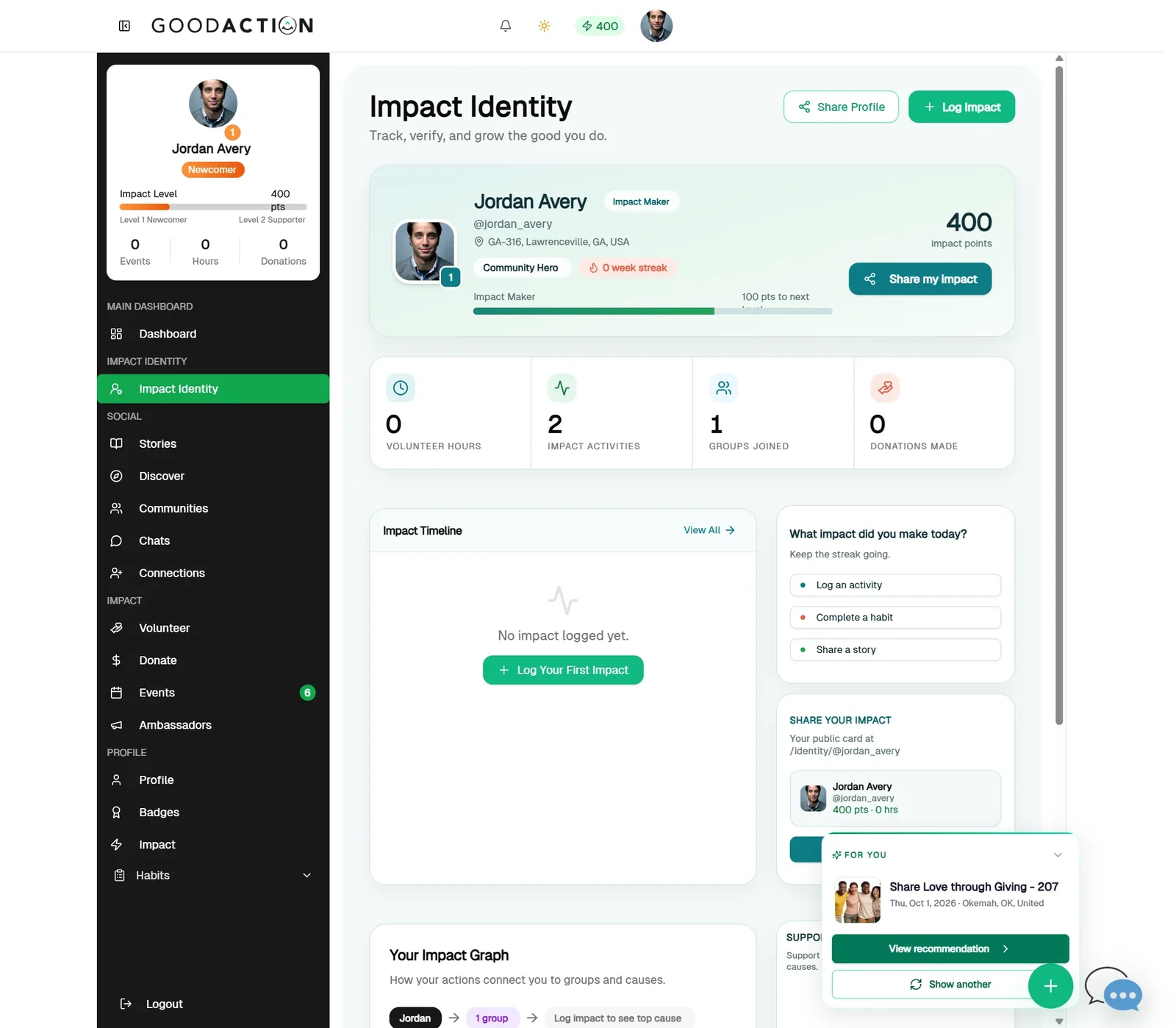
Member · Step-by-step guide
Log impact and get it verified
Any member 2 min 6 steps
Before you start: Something good you did
Step 1 of 6
1. Open Impact Identity
goodaction.com/dashboards/social/identity
Open Impact Identity in the sidebar and click Log Impact.
Click the highlighted area, or use ← →Open this page
Verification levels
- Level 1 · Self Reported: you logged it.
- Level 2 · Peer Verified: someone in your group or on GoodAction confirms it.
- Level 3 · Organization Verified: the host nonprofit approves it.
Hours
- Set hours with − and + in half-hour steps.
Was this helpful?