
All step-by-step guides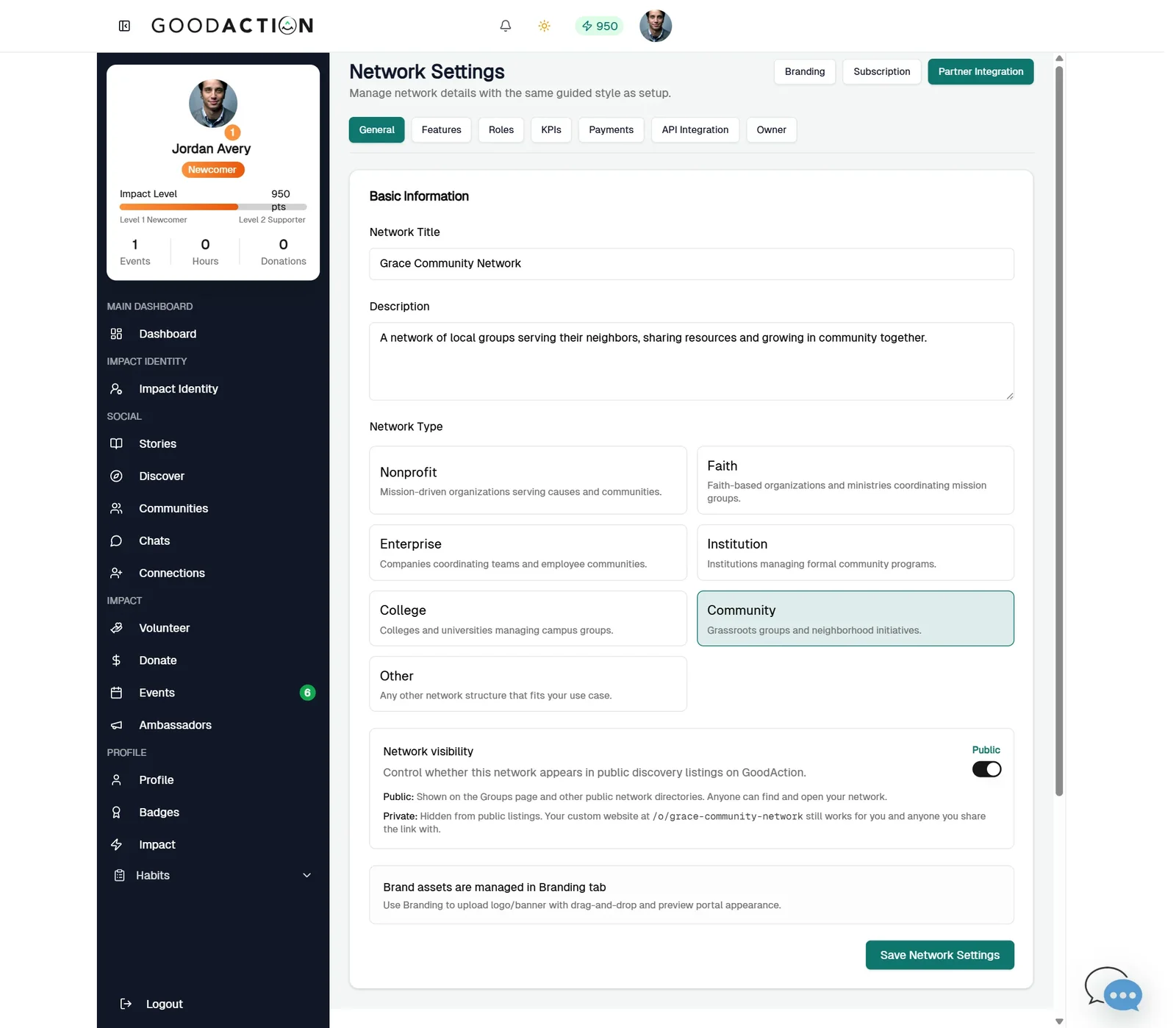
Network owner · Step-by-step guide
Terminology, features, roles
Network owner 2 min 5 steps
Before you start: A network (#22) · Do this first: Create and brand a network
Step 1 of 5
1. Network Settings
goodaction.com/dashboards/social/networks?suiteId=…&tab=settings
Open Settings. General holds the title, description, Network Type and whether the network is listed publicly.
Click the highlighted area, or use ← →
Terminology
- Type the singular or plural — the app picks the right form.
- Labels show in navigation, breadcrumbs and dashboards.
Also in Settings
- KPIs: pick which tiles show on network, district and block group dashboards, and who sees them.
- Payments: connect Stripe for network-hosted tickets.
- Owner: transfer ownership or archive the network.
Was this helpful?