
All step-by-step guides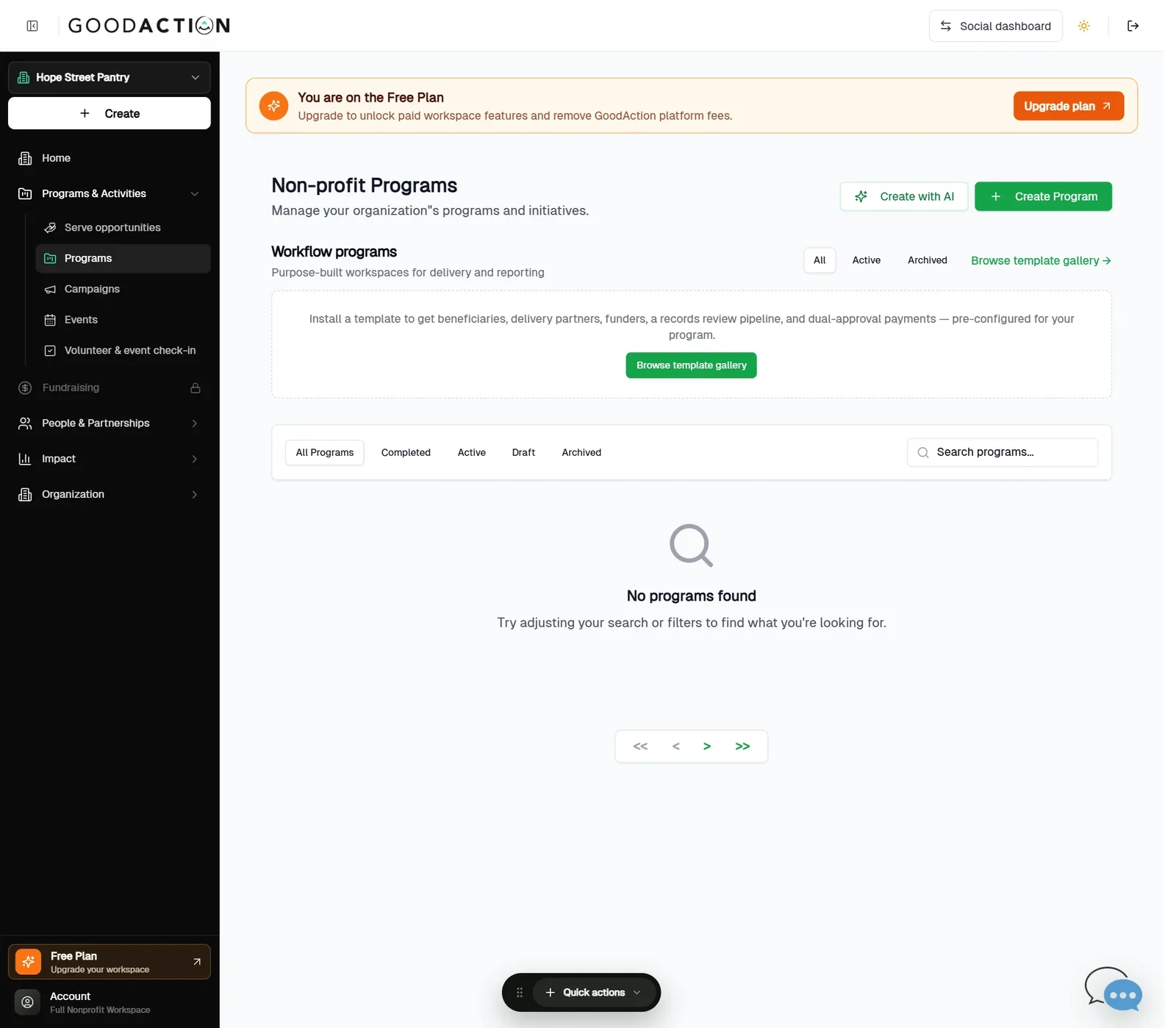
Nonprofit admin · Step-by-step guide
Create your first program
Nonprofit admin 2 min 4 steps
Before you start: One image (1920×1080 works best) and a start date · Do this first: Register or claim your nonprofit
Step 1 of 4
1. Open Programs
goodaction.com/dashboards/nonprofit/programs
Open Programs & Activities → Programs and click Create Program.
Click the highlighted area, or use ← →Open this page
Good to know
- Leave End Date blank for an ongoing program.
- Goals, risks, resources and a sustainability plan are optional.
- Create with AI drafts a program for you; the template gallery sets up delivery workflows.
Was this helpful?