
All step-by-step guides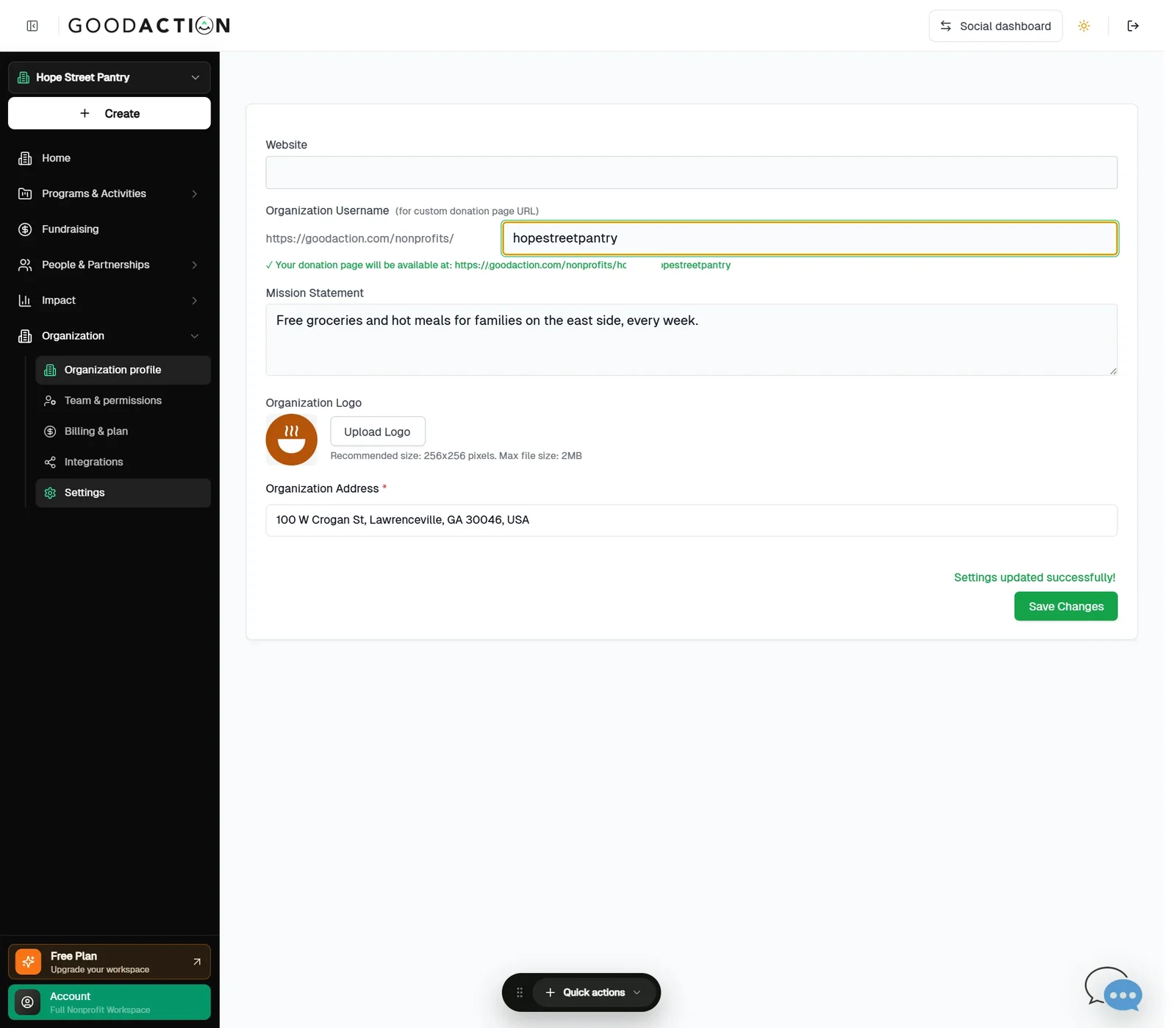
Nonprofit admin · Step-by-step guide
Set up your donation page
Nonprofit admin 2 min 4 steps
Before you start: Payments set up (#3), a cover image and three mission points · Do this first: Verify for payments and connect Stripe
Step 1 of 4
1. Set your username
goodaction.com/dashboards/nonprofit/settings?tab=profile
In Settings → Profile, set the Organization Username. It becomes your page address. Save Changes.
Click the highlighted area, or use ← →Open this page
Tips
- Suggested amounts default to $25, $50, $100, $250 and $500 — edit them under Donation Amounts.
- Donors can give one-time, monthly, quarterly or annually.
Was this helpful?