
All step-by-step guides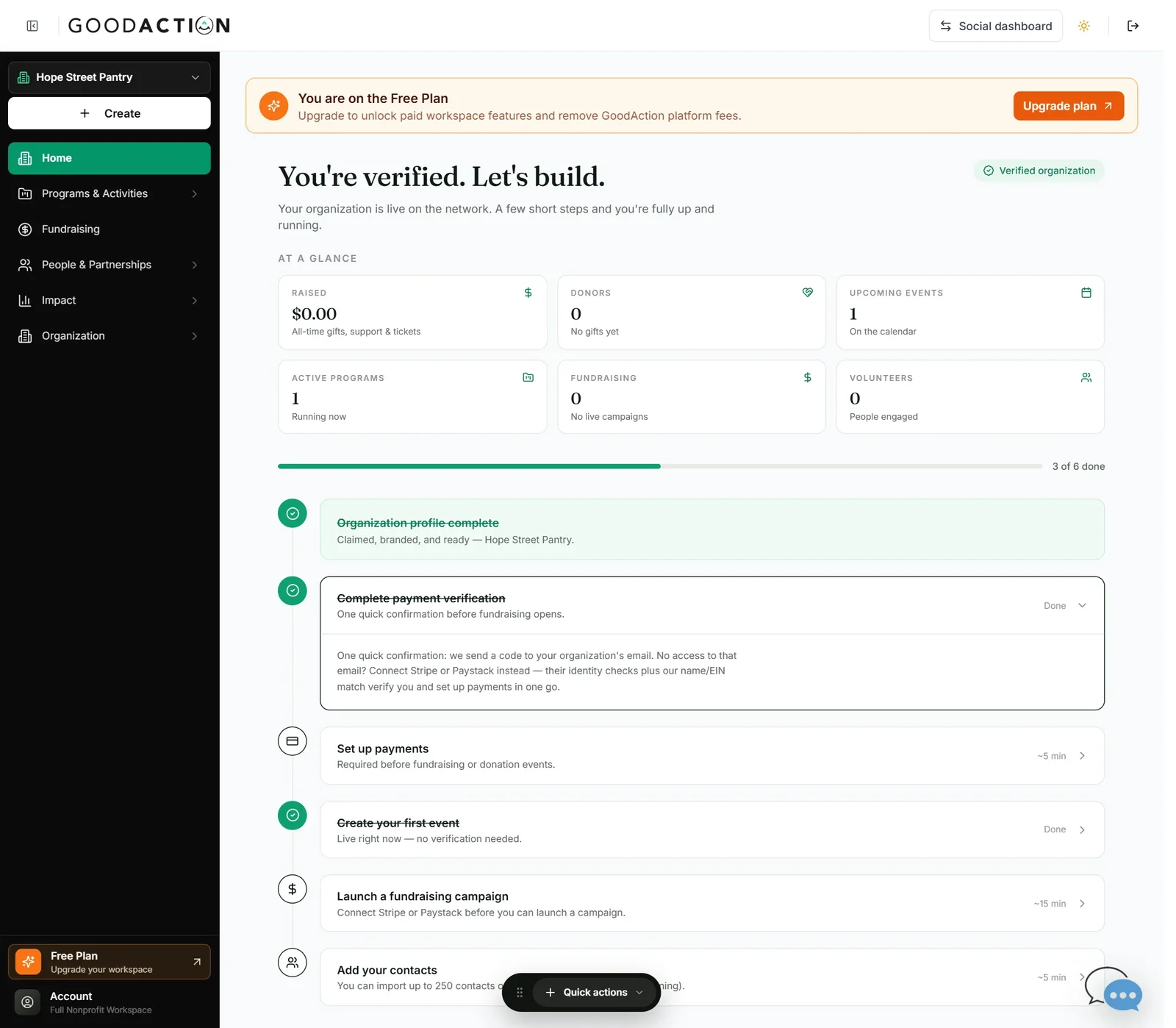
Nonprofit admin · Step-by-step guide
Verify for payments and connect Stripe
Nonprofit admin 2 min 3 steps
Before you start: Your organization profile (#2) and a few minutes for Stripe onboarding · Do this first: Register or claim your nonprofit
Step 1 of 3
1. Open Set up payments
goodaction.com/dashboards/nonprofit
On Home, open Set up payments in the checklist.
Click the highlighted area, or use ← →Open this page
Fees
- Free plan: 5% GoodAction platform fee plus Stripe's fees.
- Paid plans remove the GoodAction fee.
Verification
- We email a code to your organization's email — or connecting Stripe verifies you in one go.
Was this helpful?