
All step-by-step guides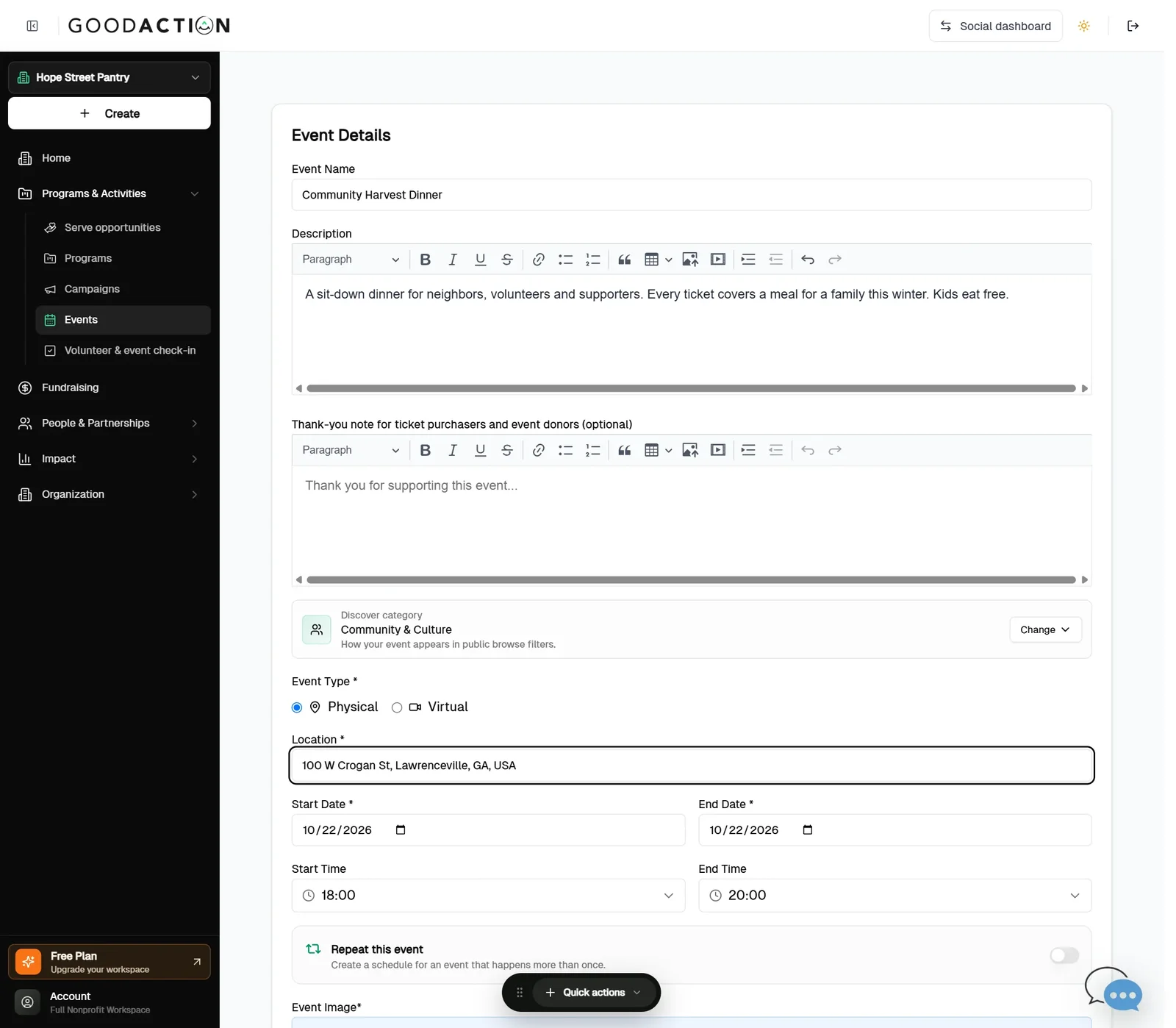
Nonprofit admin · Step-by-step guide
Create an event and sell tickets
Nonprofit admin 3 min 5 steps
Before you start: Payments set up (#3), the event details and ticket prices · Do this first: Verify for payments and connect Stripe
Step 1 of 5
1. Create a basic event
goodaction.com/dashboards/nonprofit/events/create
Choose Basic Event, then add the name, description, location, date and times.
Click the highlighted area, or use ← →Open this page
Selling tickets
- Turn on Paid Event and add a ticket type with price, tax-deductible amount and quantity.
- Share Event gives you a QR code, a link and a widget to sell tickets on your own website.
Was this helpful?