
Create your first event
Create an event by choosing the right host, activity and event details before publishing.
Watch it step by step
Click the highlighted area to move through the task, or watch the video when one is available. Newer flows may use a labeled walkthrough instead of a live photo.
Step 1 of 5
1. Create a basic event
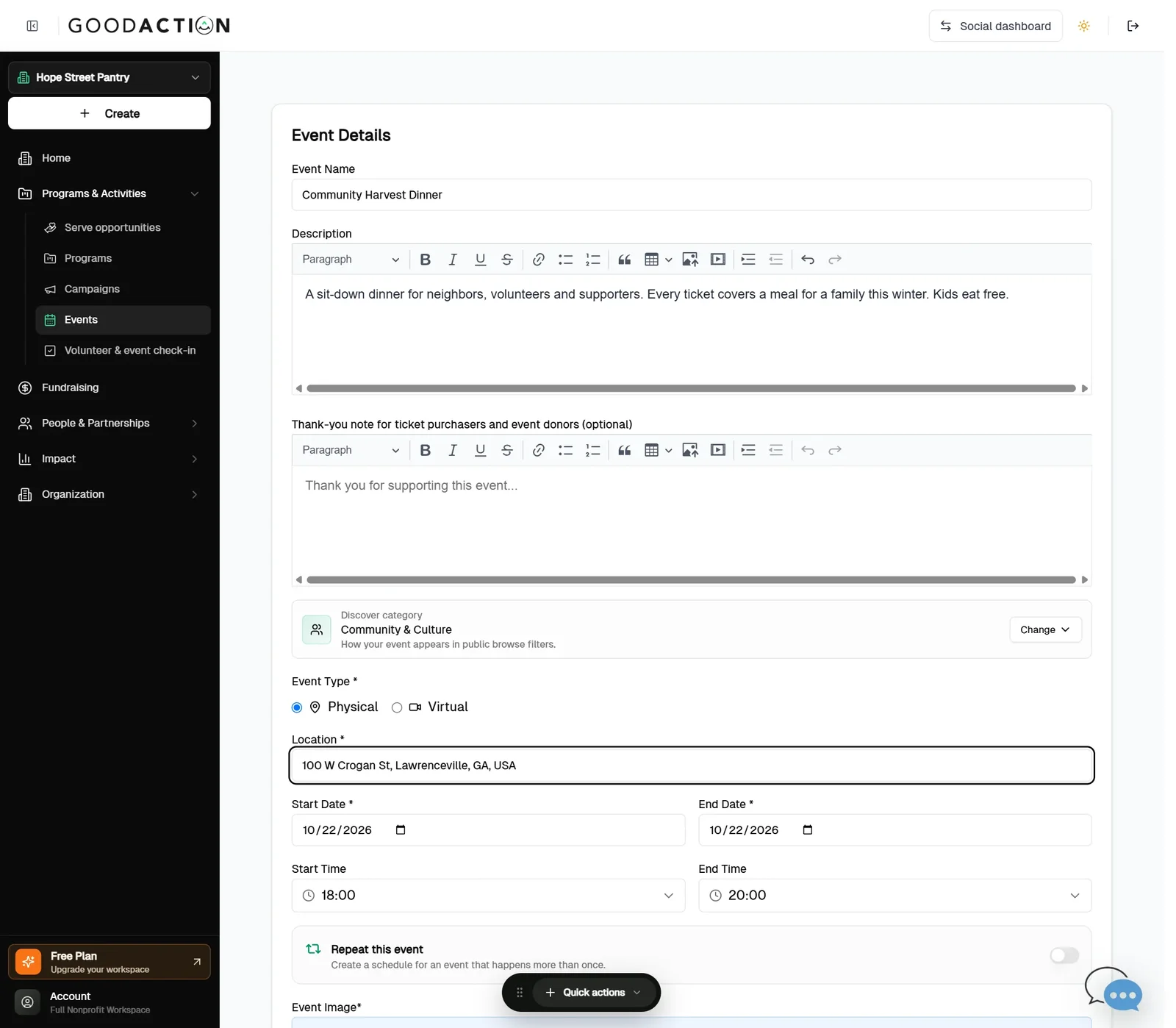
Choose Basic Event, then add the name, description, location, date and times.
Done when: The event page sells tickets, and purchases appear under Ticket Purchases and Attendees.
Create your first event
Overview
Create an event by choosing the right host, activity and event details before publishing.
Where to find it
Social hosts open Events > Create New Event and choose Personal or Group. Organization hosts open Nonprofit workspace > Programs & Activities > Events > Create Event. Company Serve admins do not create nonprofit events here; they add a partner’s published event from Enterprise > Serve > Opportunities.
How it works
- Choose the host: Personal, Nonprofit or Group. Network events use the Network event flow.
- For an organization event, select Basic Event, Donation Event, Volunteer Event or Volunteer + Donation.
- Complete Details and Program when offered, then inspect Preview.
- Correct validation messages before continuing to Confirmation. Do not assume an event is public until the final creation step succeeds.
Important details
Organization event types are Basic Event, Donation Event, Volunteer Event and Volunteer + Donation. Tickets belong to the Basic event workflow. Donation-capable events require the host's payment setup; volunteer events require valid dates, shifts, capacity and at least one role. Registration must close no later than the event ends.
If something does not look right
- Confirm the signed-in profile and current workspace shown in the page header.
- Capture the page address, time and exact visible error.
- Do not include passwords, API keys, bank details or full card data.
- Ask GoodAction Support when the expected control remains unavailable or the saved result differs from this article.